
How to Prepare Your Logo for Printing on Merchandise
Vector or JPG? Pantone or CMYK? How small is too small? A plain guide to sending logo artwork that prints sharply on wristbands, lanyards, T-shirts and mugs.
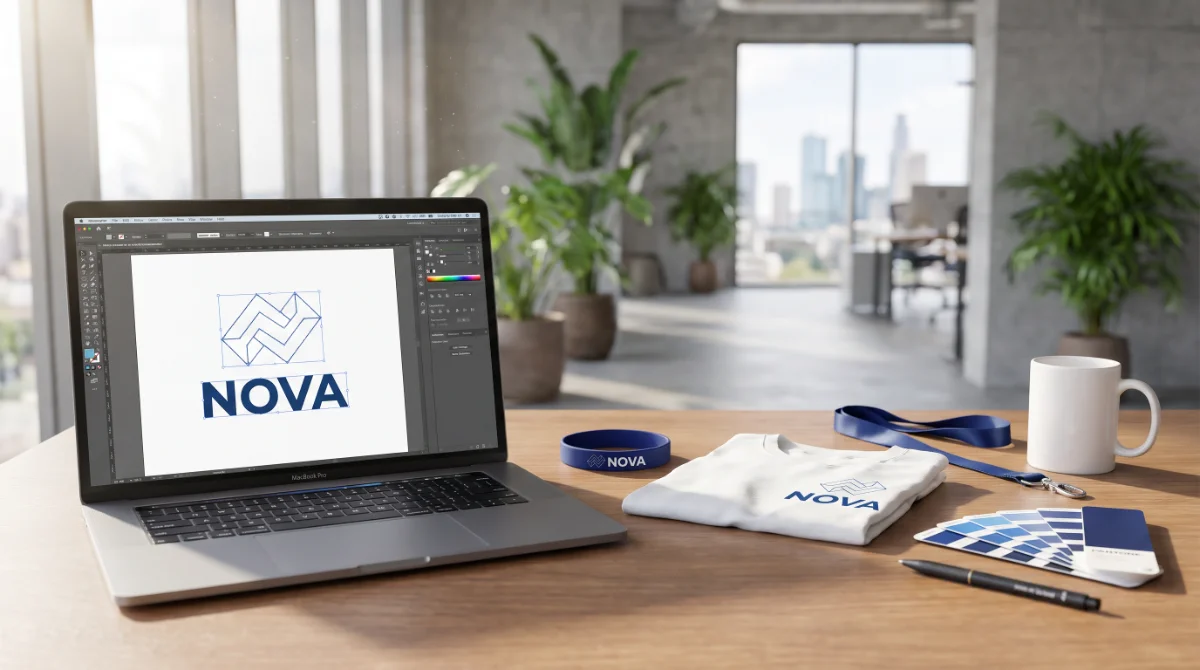
A logo that looks perfect on your phone can come out blurred on a T-shirt, lose its fine lettering on a wristband, or turn a slightly different shade of blue on a mug. Most of the time the printing is not the problem. The problem is the file that was sent, and it is almost always fixable before anything is printed.
This guide explains, without design jargon, what makes logo artwork for printing different from a logo for social media, which file types to send, how colour matching works, the smallest sizes that still print cleanly on different products, and a short checklist you can run through before you send your artwork to us on WhatsApp.
Why the same logo prints well on one item and badly on another
Every product gives your logo a different amount of space and a different surface to sit on. A roll-up banner gives you two metres of smooth fabric. A silicone wristband gives you a strip about 12 millimetres tall that curves around a wrist. A satin lanyard gives you a long, narrow ribbon with a slight sheen. A ceramic mug is curved in one direction and has a handle in the way.
Your logo has to survive all of these. Thin lines that look elegant on a banner can disappear when the same logo is shrunk onto a wristband. A gradient that glows on a screen can turn into visible stripes of colour when screen-printed in a few solid inks. A tagline written in small text under the logo can become an unreadable smudge on a pen.
Good artwork preparation is simply about giving the printer a file that can be scaled up or down without losing quality, telling them exactly which colours to use, and choosing a version of the logo that suits the space available.
Vector vs raster files
This is the single most important thing to understand. There are two kinds of image files, and printers strongly prefer one of them.
Raster files are made of tiny squares of colour called pixels. Photos are raster images. Common raster formats are JPG, PNG and most images you save from WhatsApp, Instagram or a website. A raster logo has a fixed number of pixels, so when you enlarge it, the pixels get bigger and the edges turn jagged or fuzzy.
Vector files describe the logo as shapes and lines using mathematics rather than pixels. Common vector formats are AI (Adobe Illustrator), EPS, SVG and many PDFs exported from design software. Because the shapes are calculated, a vector logo stays perfectly sharp whether it is printed on a 2-centimetre keychain or a 2-metre banner. If you want the technical background, the Wikipedia article on vector graphics explains it well.
For screen printing, debossing, laser engraving and vinyl cutting, a vector file lets the printer separate each colour cleanly and cut precise outlines. That is why it is the format we ask for first.
How to tell what you have
- If the file ends in .ai, .eps or .svg, it is almost certainly vector.
- If it is a PDF, open it and zoom in as far as you can. If the edges stay crisp at very high zoom, it is vector. If they become blocky, it is a raster image saved inside a PDF.
- If it ends in .jpg, .jpeg, .png or .webp, it is raster.
- If someone sent it to you on WhatsApp, it has been compressed and is raster, even if the original was vector.
What to do if you only have a JPG or a WhatsApp screenshot
Do not worry. Many small businesses, schools and churches only have a logo saved from a flyer or a Facebook page. First, ask whoever designed the logo for the original working file. Designers usually keep it, and it saves time for everyone.
If the original is lost, send the largest, clearest version you have, not a screenshot of a screenshot. A PNG with a transparent background is better than a JPG with a white box around the logo. We will tell you honestly whether it is good enough for the product you have chosen. For simple logos, the file can usually be redrawn as a vector before printing, and you will see a digital proof of the result before anything goes into production.
Colours: Pantone, CMYK and why screens lie
Your screen makes colour by mixing red, green and blue light. Printers make colour with ink or dye on a physical surface. These two systems do not overlap perfectly, which is why a bright screen blue can print a little darker or duller.
There are two ways printers describe colour:
- CMYK mixes cyan, magenta, yellow and black ink in tiny dots. It is used for full-colour printing such as banners, calendars, notebooks and photo mugs.
- Pantone (PMS) colours are pre-mixed inks with a reference number, such as Pantone 286 C for a strong royal blue. Spot-colour methods like screen printing on wristbands, lanyards and T-shirts work best when you give a Pantone reference, because the ink is mixed to match it. Pantone's own guide, Pantone colour systems explained, shows how the references work.
If your organisation has brand guidelines, they will list the official Pantone and CMYK values. Send them with your artwork. If you do not have guidelines, tell us the closest colour you want, or send a photo of an existing printed item in the right shade. A printed sample is far more reliable than a screen.
Silicone wristbands are a special case: the wristband itself is coloured silicone, and the logo is printed or filled in a second colour. Give a Pantone reference for both the wristband colour and the logo colour so that both are matched.
Minimum sizes and line thickness by product
Small details are where most artwork problems hide. As a rule of thumb, any line thinner than about half a millimetre and any text smaller than about 6 points at its final printed size is at risk of breaking up or filling in.
Silicone wristbands
A standard adult silicone wristband is about 12 mm wide, and the printable area is narrower than that once you allow a margin at the edges. That leaves room for a short message, an event name or a simple logo, not a long sentence.
- For debossed wristbands, where the design is pressed into the silicone, avoid hairline details. Bold, simple shapes and thicker letters give the cleanest result.
- For screen-printed silicone wristbands, solid colours work best. Gradients and photo-style artwork should be simplified to a few flat colours.
- Keep text to a short phrase. If your message is long, split it between the front and the back of the wristband.
Lanyards and narrow print areas
A satin lanyard is usually 15 mm to 25 mm wide, and the logo repeats along its length. A wide, horizontal logo fits naturally. A tall, stacked logo has to be shrunk to fit the height of the ribbon, which can make it tiny. If your logo has both a stacked and a horizontal version, send the horizontal one for lanyards.
Tell us whether you want the logo alone, the logo with your organisation's name, or a short message such as an event name and year, and whether it should repeat continuously or alternate with text.
T-shirts, mugs and notebooks
On a branded T-shirt, a chest logo is usually 8 cm to 10 cm wide, and a full back print can be 25 cm to 30 cm wide. A vector file or a very large, high-resolution image is needed for a back print. The print method matters too: our guide to heat press vinyl vs dye sublimation explains which designs suit which method.
On a ceramic mug, the print area wraps around the side but stops before the handle. Decide whether you want the logo on one side, both sides or wrapped all the way around.
Notebooks, diaries and calendars are printed in full colour, so photos and gradients reproduce well, but the file still needs to be high resolution. For anything printed in full colour, aim for an image that is at least 300 pixels per inch at the final printed size.
Fonts: outline them or send them
If your artwork includes text that is set in a font, the file may look different on another computer that does not have that font installed. The text can switch to a default font or shift out of place.
There are two simple fixes. In design software, convert the text to outlines (also called "create outlines" or "convert to curves") before exporting, so the letters become fixed shapes. Or send the font files along with the artwork. If you cannot do either, tell us the name of the font and we will check it before printing.
Checklist before you send artwork on WhatsApp
Run through this list and you will avoid nearly every delay we see:
- Send the logo as a vector file (AI, EPS, SVG or vector PDF) if you have one.
- Send it as a document, not as a photo. WhatsApp compresses photos, so attach the file using the document option instead.
- Include the Pantone or CMYK colour references, or a photo of a printed item in the right colour.
- Say which products the logo is for, so we can suggest the best version for each space.
- Mention any text that must appear exactly as written: the event name, date, slogan or website, with the spelling double-checked.
- If you have both stacked and horizontal versions of the logo, send both.
- Tell us if any font in the artwork has not been outlined.
What happens after you send it
Once we have your artwork, we check it against the product you have chosen and prepare a digital proof. The proof shows your logo placed on the product at its real size, in the colours that will be printed. Look at it carefully: check the spelling, the colours and the position. Small mistakes are much easier to fix on a proof than after printing.
If something needs adjusting, such as a line that is too thin for a wristband or a tagline that is too small for a pen, we will say so and suggest a simpler version. Production starts only once you approve the proof. If you are working to a tight event date, our guide to ordering event wristbands at short notice explains how to keep the artwork stage quick.
The best artwork is not the most detailed version of your logo. It is the version that suits the product it will be printed on. Send us the cleanest file you have, tell us what you are ordering, and we will help you turn it into merchandise that looks exactly the way your brand should.
Planning event wristbands, staff lanyards, or corporate apparel in Kenya? You can share your design ideas with us directly on WhatsApp for quick digital mockups and pricing.